Service menu
A repair-focused company
Separate no-heat and no-cooling requests from routine maintenance and replacement enquiries.
CALLMINDED FOR HVAC
Keep working. Give the next caller a useful first answer.
Answer calls you cannot take, explain your approved services and collect useful requests for your team. Customize the greeting, questions, price explanations and follow-up around your business.
14-day trial · 50 AI conversation minutes · No credit card required. Guided setup included; the trial starts when your receptionist is ready.
A homeowner calling about an air conditioner that stopped cooling is looking for a clear next step. Someone asking about a seasonal tune-up needs a different conversation. If both calls receive the same checklist, the caller does extra work and your coordinator still has to fill in the gaps.
CallMinded answers calls you cannot take and captures the details your team needs to follow up. Configure the services you offer, the questions that matter for each request and the answers you are comfortable giving. A repair enquiry can start with the problem and property location; a replacement enquiry can focus on the project and preferred callback window.
Your business decides what happens after that first conversation. The receptionist can explain your approved process and prepare a dashboard request. Your coordinator reviews it, checks capacity and agrees the next step with the customer. The goal is a better starting point for that callback, not another long questionnaire.
YOUR BUSINESS. YOUR CONVERSATION.
A starting workflow gives you something to build on. Your business settings define the services, answers, questions and next steps used on calls. You can save a draft, review your changes and apply approved settings to future calls.
A repair-focused company
Separate no-heat and no-cooling requests from routine maintenance and replacement enquiries.
A company with a diagnostic visit fee
Explain the approved visit fee, what it covers and any exclusions, without presenting it as the final repair price.
An office that closes at five
Use your opening hours and after-hours wording so callers understand the actual follow-up process.
You do not need to write an AI prompt. Enter the business information and rules; CallMinded uses them to guide the conversation. Guided setup helps you refine the flow and test representative calls before your trial begins.
Customization controls the conversation within supported capabilities. It does not create a calendar connection, live transfer, dispatch or message delivery simply because one is described in a setting.
Explore your business controls →STAGED AUDIO DEMONSTRATION
Listen to Josie clarify the work, explain an illustrative assessment fee and offer sample appointment choices.
Josie uses GPT-Live with a synthetic caller. Fictional business, pricing and availability; opening and pauses edited. This direct API demonstration is not a customer telephone recording or a measurement of production response time.
The sample illustrates a conversation with preloaded choices. Current customer setup captures appointment requests for staff to confirm. A real calendar booking, confirmation text and reminder require separately verified integrations; none is created by this audio.
Suppose your approved menu includes a diagnostic visit fee. Configure the exact amount, whether travel or taxes are included, and whether the fee is credited toward later work. The receptionist can explain that policy without guessing which component failed or what the repair will cost. A caller asking about a warranty needs staff to verify their actual coverage.
A tune-up caller may need to identify heating, cooling or both and whether they want one visit or an ongoing service. A replacement enquiry needs the property, the caller’s goal and an estimate callback. Neither requires the caller to read a model number from equipment they cannot safely reach. Keep unknown information unknown so the first conversation stays useful.
The US Department of Energy’s maintenance guidance separates resident tasks from contractor work. We use that distinction to design intake that captures context and leaves inspection and diagnosis to technicians; it is not evidence of CallMinded’s performance.
These examples show how an enquiry can become a useful request for your team. The exact questions and answers depend on the rules your business approves during setup.
Capture repair versus maintenance, location, symptoms and callback details so a second enquiry can be reviewed.
The next decision: The coordinator still checks technician capacity and decides the response.
Keep the model unknown. Record heating or cooling, what changed and when; do not turn a simple enquiry into a technical interrogation.
The next decision: A technician identifies the equipment and diagnoses the problem.
Record the requested timing and explain the company-approved next step.
The next decision: After-hours answering does not establish emergency coverage or guarantee an arrival.
Only repeat an approved general policy. Staff must verify the equipment, service history and actual coverage before making a commitment.
The request can include that preference. The coordinator confirms capacity; a captured request is not a scheduled visit.
US Department of Energy · HVAC preventive maintenance ↗
DOE distinguishes resident tasks from inspection and maintenance performed by an HVAC contractor. Our intake design therefore captures context without attempting technical diagnosis.
HVAC phone coverage discussion ↗
Qualitative input only: one self-described HVAC receptionist discusses overflow coverage. Other commenters express frustration with automated answering. This is not a prevalence or revenue study.
Reviewed October 8, 2026. The workflow recommendations are our editorial interpretation. Community discussions are individual experiences, not representative studies. Product documentation describes the publisher’s process and does not imply an integration or endorsement.
INDUSTRY WORKFLOWS · REVIEWED OCTOBER 13, 2026
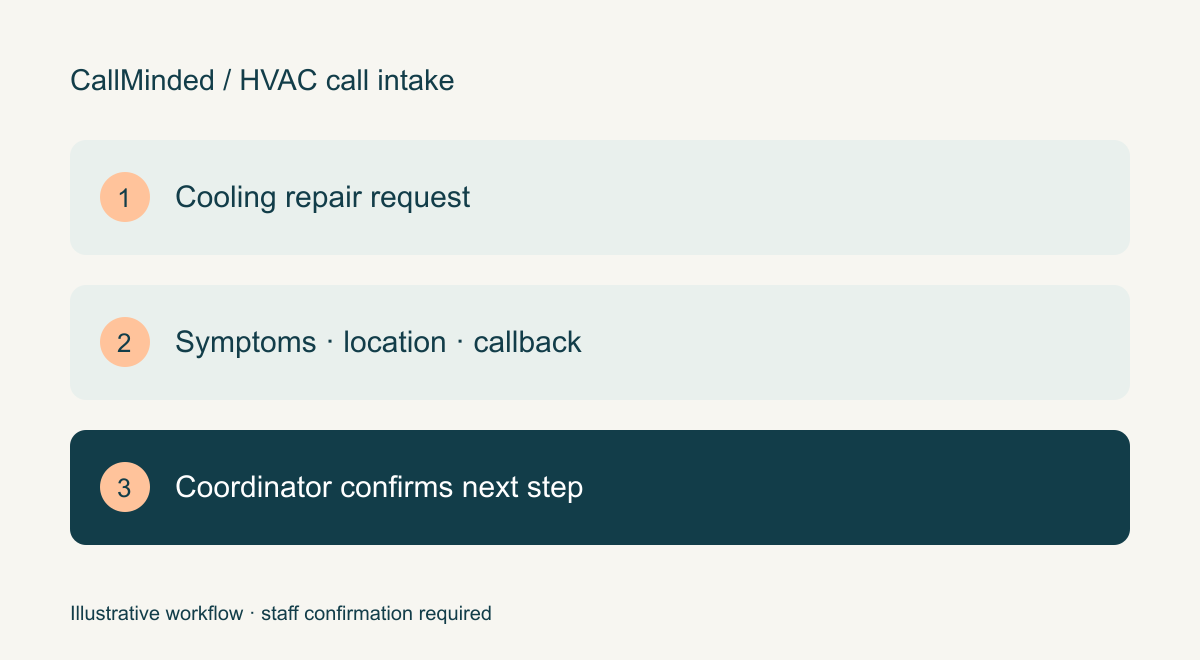
A no-cooling request, routine tune-up and replacement enquiry need different conversations. Give the service coordinator the request type, equipment context the caller knows and a confirmed callback route, while technicians decide the work and availability.
Cooling stopped; equipment type may be unknown
Capture symptoms in the caller’s words, when the problem began and the property location.
Caller asks for a seasonal service
Record the system and requested timing; staff confirm maintenance scope and capacity.
Caller wants to discuss a new system
Collect project intent and property context for an estimate conversation, without sizing equipment over the phone.
Transcript of the staged AI audio demonstration above. Fictional business, caller, prices and availability. Edited pauses; no real appointment or message.
“Thank you for calling Lone Star Comfort. This is Josie. How can I help you today?”
“Hi, our air conditioner is running, but the house isn't getting cool.”
“Oh, I'm sorry to hear that. Just to make sure I understand, is this your central air system or a window unit?”
“It's a central air system.”
“Thank you. And when did you first notice it wasn't cooling?”
“Yesterday afternoon.”
“Got it. We can schedule a diagnostic visit. The diagnostic fee is 89 dollars, and then any repairs would be quoted separately after the inspection. Would you like to schedule that?”
“Yes, please.”
“Sure. We have availability on Friday, October sixteenth, or Monday, October nineteenth. Which works better for you?”
“Friday would be better.”
“Okay. On Friday, we can offer an arrival window of eight to ten in the morning or one to three in the afternoon. Which arrival window would you prefer?”
“The one-to-three window, please. I won't be home in the morning.”
“No problem. What’s the full address, including the ZIP code?”
“Twenty-four Example Lane, Austin, Texas, seven eight seven zero one.”
“Thank you. Will someone be home to provide access during that window?”
“I'll be home. There's a dog in the yard, but I'll keep him inside.”
“Thanks for letting me know about the dog. And can I get your name?”
“Jordan Taylor.”
“Thanks, Jordan. What's the best callback number for you?”
“Five one two, five five five, zero one four two.”
“Let me repeat that back. Five one two, five five five, zero one four two. Is that correct?”
“Yes, that's correct.”
“Great. You're scheduled for a diagnostic visit on Friday, October sixteenth, with the one to three arrival window at twenty four Example Lane, Austin, seven eight seven zero one. The diagnostic fee is eighty nine dollars, and any repair would be quoted separately after inspection. And we'll note the dog will be inside. Thank you for calling Lone Star Comfort. We look forward to helping you.”
Jordan Taylor; central AC running without cooling; Austin, Texas 78701; preferred Friday 1–3 PM arrival window. Fictional USD89 diagnostic fee, with repairs quoted separately. Availability, appointment and contact details are staged; no calendar entry or message was created.
The receptionist does not diagnose equipment, recommend repairs or dispatch a technician. The business must approve safety and urgent-call routing before activation.
DOE distinguishes resident tasks from inspection and maintenance performed by an HVAC contractor. Our intake design therefore captures context without attempting technical diagnosis.
US Department of Energy · HVAC preventive maintenance ↗ · checked October 8, 2026.
External documentation informs the workflow; it does not verify CallMinded capability, imply an integration or measure search demand.
See intake for electrical installations →
Configure your approved services and answers →
Understand appointment requests versus confirmed bookings →
Test names, numbers and uncertain answers →
Capture an after-hours service request →
Forward calls from your existing business number →
Use the trial scorecard to record useful requests, follow-up and outcomes. These checks help you evaluate your own setup; no conversion or revenue improvement is promised.
Create your account and enter your business information. Guided setup helps you review the answers and test forwarding. After 14 days or 50 AI conversation minutes, whichever comes first, AI answering pauses. No automatic extra-minute charges; paid service requires separate approval.
Start my free trial ↗See what happens after signup · Review USD plans and trial terms
YOUR NEXT STEP
Tell us where call handling gets in the way of your day.