LOOK INSIDE CALLMINDED
The call is the start.
Here is what follows.
Explore the workflow before discussing a pilot. The written scenario uses fictional data; the screenshot shows the actual inbox interface. No real customer information is displayed.
Request a guided pilotFOLLOW ONE REQUEST
From “there’s a leak”
to “here’s who to call.”
A fictional plumbing enquiry, shown step by step. Explore the conversation, the captured details and the owner’s next action.
“There’s water under the kitchen sink. Can someone come today?”
“I can take the details for the team to review. What’s the best number to reach you on?”
“Actually, use my other number. Let me give it to you again.”
Kitchen sink leak
- Caller
- Alex Morgan
- Callback
- +1 202 555 0142
- Location
- 24 Example Street
- Preferred callback
- This afternoon
- Reported situation
- Water contained; callback requested
Someone owns the next step.
- Review the request
Check the reported issue and any uncertain details.
- Assign and acknowledge
Make responsibility visible in the lead inbox.
- Record the outcome
Log the contact attempt and what needs to happen next.
INSIDE THE PRODUCT
This is what
your team sees.
The lead inbox keeps the original request, callback details and follow-up controls in one place.
- See requests awaiting acknowledgment.
- Review urgency and captured details.
- Assign responsibility and record outcomes.
Actual lead-inbox interface, populated with fictional demonstration data. Controls are disabled in this screenshot.
View full-size screenshot ↗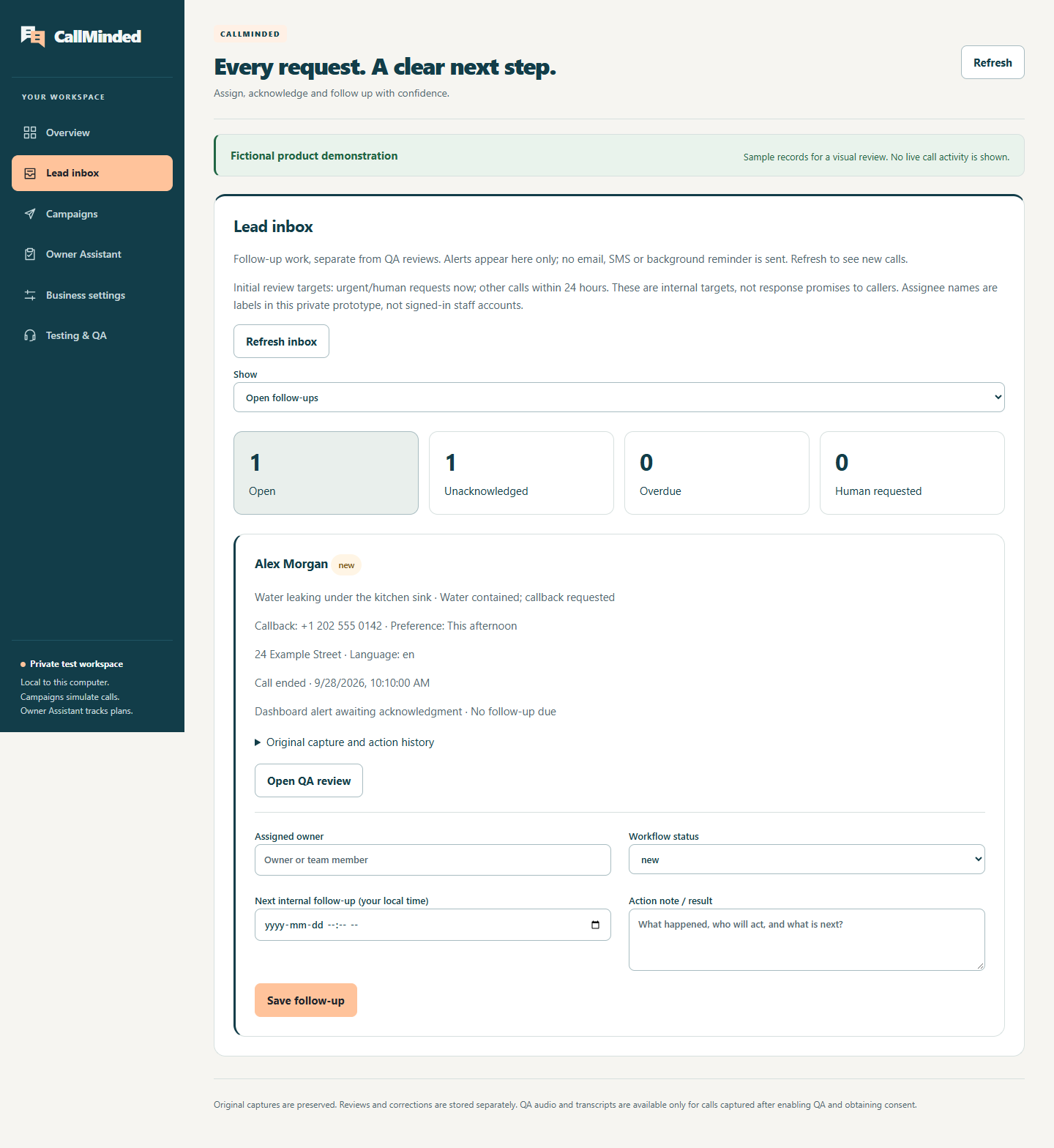
HEARING IT MATTERS
A real voice sample deserves a real call.
A shareable audio demonstration has not been recorded yet. The walkthrough above is a written example, not a transcript or evidence of voice quality. Our existing test-call recording remains off.
Tell us the call scenario you want to evaluate →YOUR NEXT STEP
Let’s make the next
conversation count.
Tell us where call handling gets in the way of your day.