Scope questions
Renovation electrical work
Ask whether the layout is changing and whether plans exist; capture the caller’s role.
CALLMINDED FOR ELECTRICIANS
Capture the work being requested before your electrician calls back.
Answer calls you cannot take, explain your approved services and collect useful requests for your team. Customize the greeting, questions, price explanations and follow-up around your business.
14-day trial · 50 AI conversation minutes · No credit card required. Guided setup included; the trial starts when your receptionist is ready.
“I need a new outlet” could be a standalone job or one small part of a kitchen renovation. An EV charger enquiry could come from a homeowner who has already bought equipment or someone who needs advice on what to choose. Those differences change the conversation your electrician needs to have.
CallMinded can ask the relevant questions while you are working: what the caller wants installed, whether it is part of a larger project, where the work is needed and how to reach them. Configure customer phrases for your service menu so ordinary descriptions lead to the appropriate approved service information.
Set your own price explanations, service areas and follow-up wording. The resulting request gives your team context for reviewing scope and arranging an assessment. Electrical diagnosis and safety decisions remain with your qualified staff.
YOUR BUSINESS. YOUR CONVERSATION.
A starting workflow gives you something to build on. Your business settings define the services, answers, questions and next steps used on calls. You can save a draft, review your changes and apply approved settings to future calls.
Renovation electrical work
Ask whether the layout is changing and whether plans exist; capture the caller’s role.
A residential-only contractor
Describe approved residential services and record unmatched requests for review.
Assessment before quotation
Explain your estimate process instead of inventing a price from an incomplete description.
You do not need to write an AI prompt. Enter the business information and rules; CallMinded uses them to guide the conversation. Guided setup helps you refine the flow and test representative calls before your trial begins.
Customization controls the conversation within supported capabilities. It does not create a calendar connection, live transfer, dispatch or message delivery simply because one is described in a setting.
Explore your business controls →STAGED AUDIO DEMONSTRATION
Listen to Josie clarify the work, explain an illustrative assessment fee and offer sample appointment choices.
Josie uses GPT-Live with a synthetic caller. Fictional business, pricing and availability; opening and pauses edited. This direct API demonstration is not a customer telephone recording or a measurement of production response time.
The sample illustrates a conversation with preloaded choices. Current customer setup captures appointment requests for staff to confirm. A real calendar booking, confirmation text and reminder require separately verified integrations; none is created by this audio.
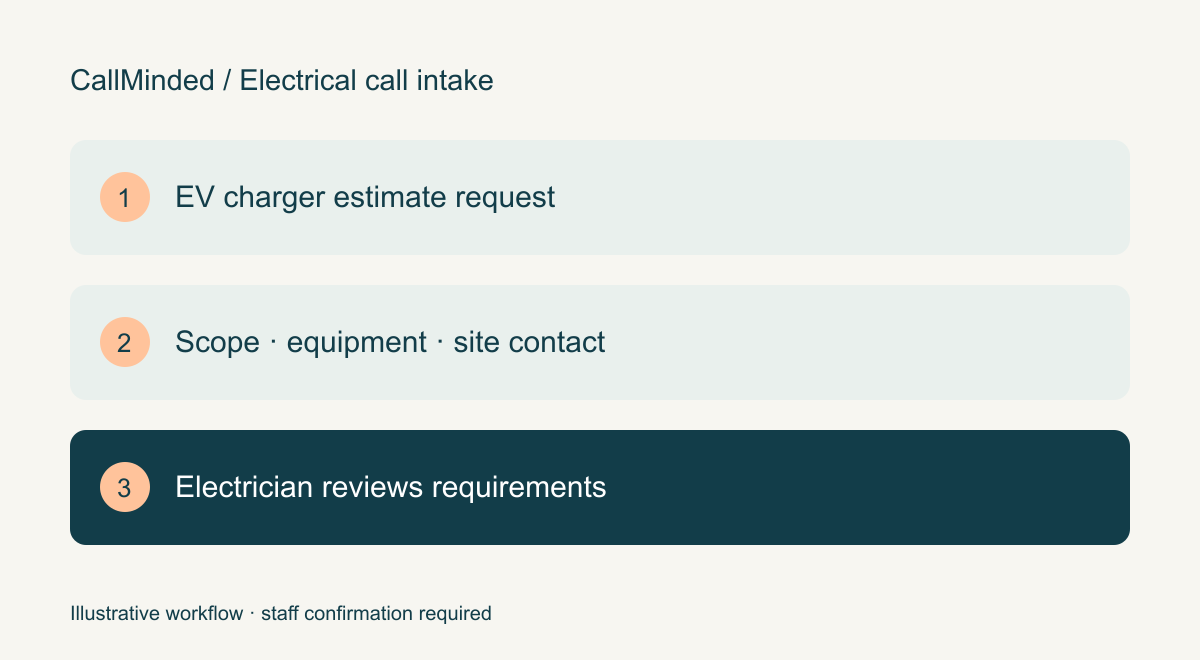
Ask whether the charger has been selected, where the caller wants it installed and whether this is part of a larger renovation. Record the caller’s role and who can arrange site access. Do not ask them to open a panel, inspect wiring or calculate spare capacity. The electrician decides which technical details and site assessment are necessary before quotation.
ESFI’s electric-vehicle guidance calls for qualified electrical inspection and installation. Our intake design follows that boundary: prepare the enquiry without declaring the electrical system suitable or the installation safe.
An outlet enquiry may be a single installation or one part of a kitchen remodel. Ask whether the layout is changing and whether plans exist if those questions matter to your estimating process. An existing customer requesting extra work needs their project reference and requested change captured for staff review; the receptionist should not approve a change in price or completion date.
These examples show how an enquiry can become a useful request for your team. The exact questions and answers depend on the rules your business approves during setup.
Ask whether the request is a single installation or part of a wider project, who is calling and whether plans exist.
The next decision: The electrician reviews the actual scope before estimating.
Capture their description without deciding the cause. Explain only the business-approved assessment process.
The next decision: A qualified electrician assesses the system; no automated safety verdict.
Identify the caller’s role and record the appropriate site-contact callback request.
The next decision: Staff confirm access and permission before a visit.
It can capture the garage location, equipment selection and project timing. Site conditions and electrical requirements still need a qualified review before a final quote.
It can repeat the exact fee and conditions you approve. That fee must be distinguished from the eventual repair or installation price.
Electrical Safety Foundation · Home Electrical Safety Challenge ↗
ESFI states that its educational safety exercise does not replace an inspection by a qualified electrician. Our intake design therefore leaves diagnosis and safety judgments to qualified staff.
ESFI: Home Electrical Safety Challenge ↗
Primary guidance: educational checks do not replace inspection by a qualified electrician. Editorial implication: intake must not diagnose or pronounce equipment safe.
Reviewed October 8, 2026. The workflow recommendations are our editorial interpretation. Community discussions are individual experiences, not representative studies. Product documentation describes the publisher’s process and does not imply an integration or endorsement.
INDUSTRY WORKFLOWS · REVIEWED OCTOBER 13, 2026
Help an electrician prepare for a callback by separating repair concerns from installation and estimate enquiries. Capture what the caller wants done without declaring a circuit safe, recommending a fix or promising an installation price.
EV charger, lighting or new equipment
Ask what is being installed, where it is needed and whether equipment has been selected.
Caller reports an electrical concern
Record the description and follow the company’s approved safety routing; do not troubleshoot.
Work depends on site conditions
Collect scope and location so qualified staff can decide whether a site assessment is needed.
Transcript of the staged AI audio demonstration above. Fictional business, caller, prices and availability. Edited pauses; no real appointment or message.
“Thank you for calling Clearline Electrical. This is Josie. How can I help you today?”
“Hi, I'd like to have an electric car charger installed.”
“Oh, great. Have you chosen a charger yet?”
“Not yet. I'd like some help choosing one.”
“No problem. Sure. Is this a standalone install or part of a renovation?”
“We're renovating the garage.”
“Perfect. We can schedule an on site assessment to look at the project and go over charger options. The assessment costs ninety five Canadian dollars, and that goes toward the installation if you move forward. Would you like to book that?”
“Yes, please.”
“Great. We have appointments Tuesday, October thirteenth, or Thursday, October fifteenth. Which day works better for you?”
“Thursday would be better.”
“Sounds good. We can do nine a m or two p m that day. What works better?”
“Two in the afternoon, please.”
“Okay. What's the property address?”
“Twenty-four Example Street, Toronto.”
“Thanks. Will someone be able to provide access to the garage at that time?”
“Yes, I'll be there.”
“Perfect. Can I get your name?”
“Alex Morgan.”
“Thank you. And what's the best callback number for you?”
“Two zero two, five five five, zero one four two.”
“Got it. That's two zero two five five five zero one four two. Did I get that right?”
“Yes, that's correct.”
“Great. You're booked for the on-site assessment, Thursday, October fifteenth at two p.m. at 24 Example Street, Toronto. The ninety five Canadian dollar assessment fee goes toward your installation if you decide to proceed. Thanks, Alex. We'll see you then.”
Alex Morgan; garage EV charger assessment during a renovation; Toronto example; preferred Thursday at 2 PM. Fictional CAD95 assessment fee credited toward installation. This Canadian scenario is retained as an approved example; no actual booking or calendar connection.
No safety assessment, panel-capacity calculation, wiring instructions or final price. Approved urgent-call wording must be tested separately.
ESFI states that its educational safety exercise does not replace an inspection by a qualified electrician. Our intake design therefore leaves diagnosis and safety judgments to qualified staff.
Electrical Safety Foundation · Home Electrical Safety Challenge ↗ · checked October 8, 2026.
External documentation informs the workflow; it does not verify CallMinded capability, imply an integration or measure search demand.
See intake for HVAC service requests →
Configure your approved services and answers →
Understand appointment requests versus confirmed bookings →
Test names, numbers and uncertain answers →
Forward calls from your existing business number →
For a new installation, have staff review a test request that includes the work location, equipment choice if known, caller role and a corrected callback number. For a repair concern, the request should preserve what the caller described without guessing the cause or declaring the installation safe.
Agree who responds to enquiries outside your scope and what the receptionist says when a caller asks for a specific visit time. An assessment preference is not a reserved slot. Use the appointment-request and confirmation checklist to test that distinction.
Yes, within supported call flows. Configure the services, approved answers, service area and information your team needs, then test representative installation, repair and out-of-area enquiries before activation. Custom wording does not create a calendar, live transfer or dispatch integration.
No. Capture the enquiry and known information; qualified staff decide what assessment is appropriate. Do not turn a booking question into remote troubleshooting or ask callers to open equipment.
Use the trial scorecard to record useful requests, follow-up and outcomes. These checks help you evaluate your own setup; no conversion or revenue improvement is promised.
Create your account and enter your business information. Guided setup helps you review the answers and test forwarding. After 14 days or 50 AI conversation minutes, whichever comes first, AI answering pauses. No automatic extra-minute charges; paid service requires separate approval.
Start my free trial ↗See what happens after signup · Review USD plans and trial terms
YOUR NEXT STEP
Tell us where call handling gets in the way of your day.